Tutorials · Part 5 · 1:07
Etsy shop analytics: see your best sellers, profit and keywords
Watch on YouTube · the whole course
In this video
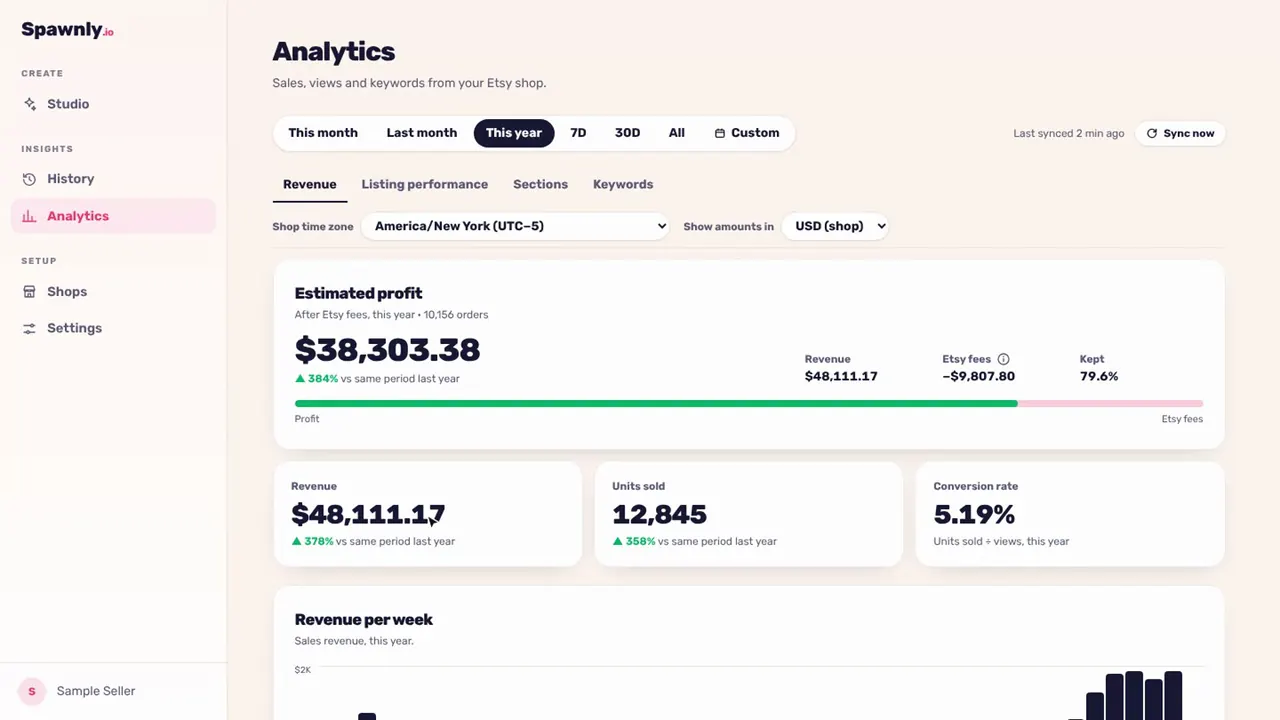
Spawnly syncs your Etsy shop every twelve hours and shows it all in Analytics, so you can see what sells and make more of it.
Pick a period
Choose this month, last month, this year, or your own dates.
Profit, revenue and conversion
At the top is your estimated profit, after Etsy fees. Then revenue, units sold and conversion, each compared with the same period last year. Below, your revenue week by week shows your best seasons.
Listing performance
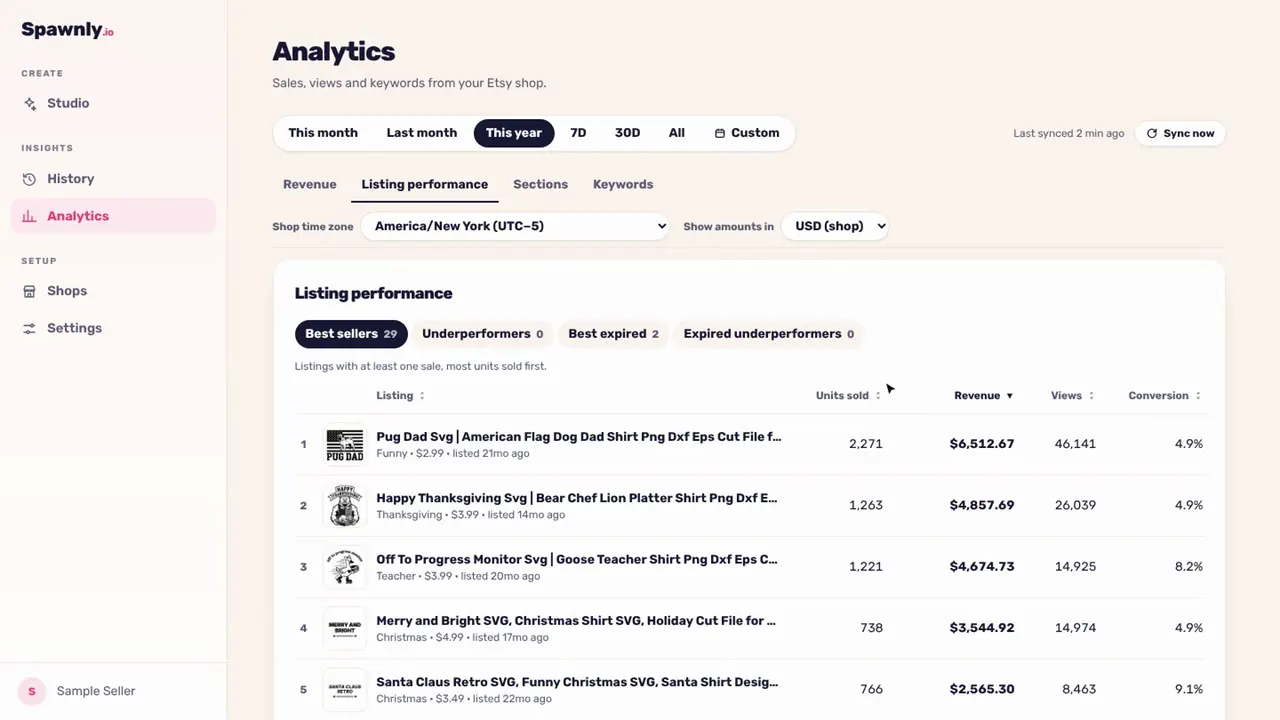
Listing performance ranks every listing by units sold, revenue, views and conversion: click a column to sort. Best expired shows good sellers that have expired, so you can renew them.
Sections: your best niches
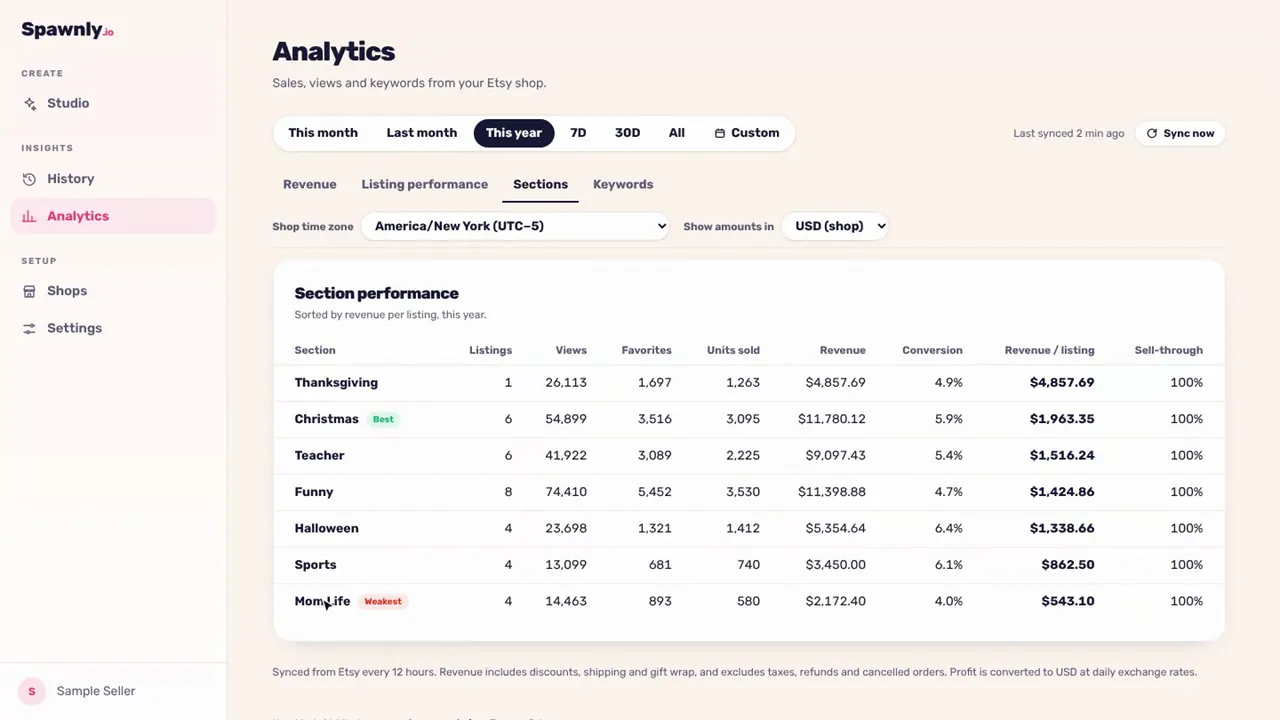
Sections shows which niches earn the most per listing. In the example, Thanksgiving and Christmas lead, and Mom Life is the weakest.
Keywords: the searches that bring sales
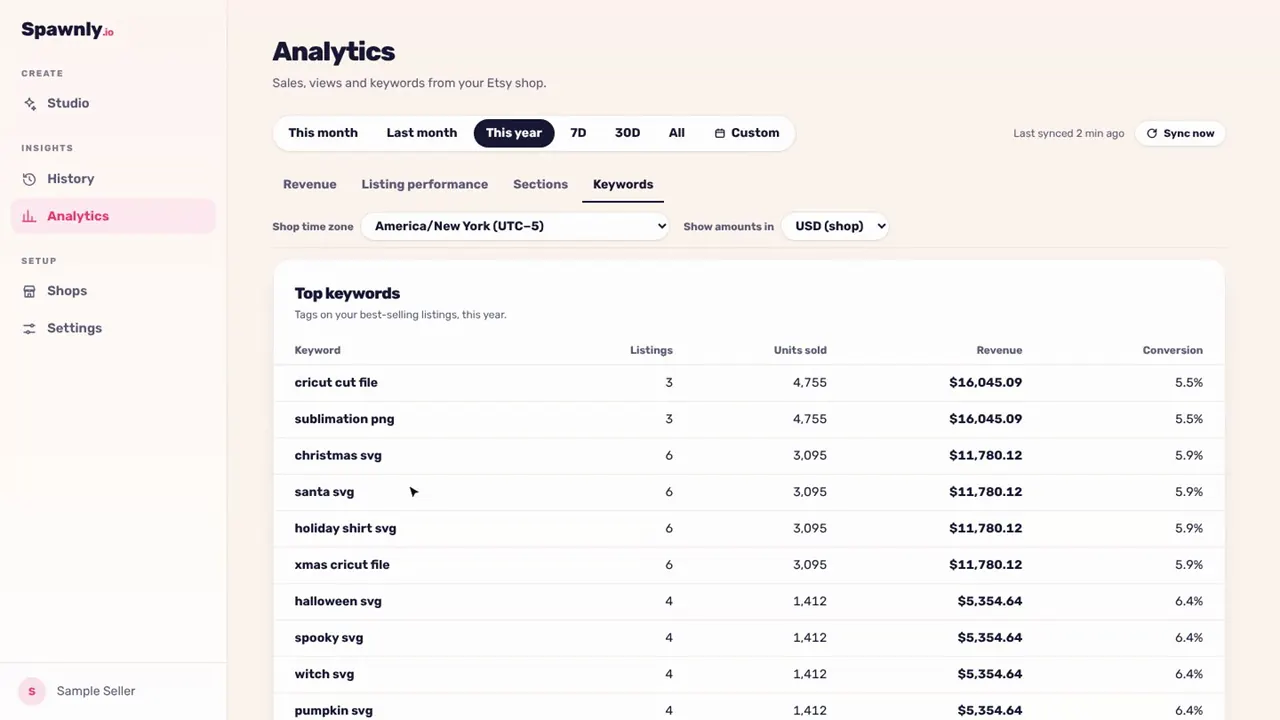
Keywords lists the tags on your best-selling listings, so you know which searches bring you sales.
The rule
Make more of what works. Find your best niches here, then create new designs for them in the Studio. For reading Etsy's own stats too, see Etsy stats for SVG sellers.