Tutorials · Part 3 · 2:10
How to make SVG designs with AI and upload them to Etsy
Watch on YouTube · the whole course
In this video
This is the core of Spawnly: a few screenshots in, finished Etsy drafts out, in about a minute.
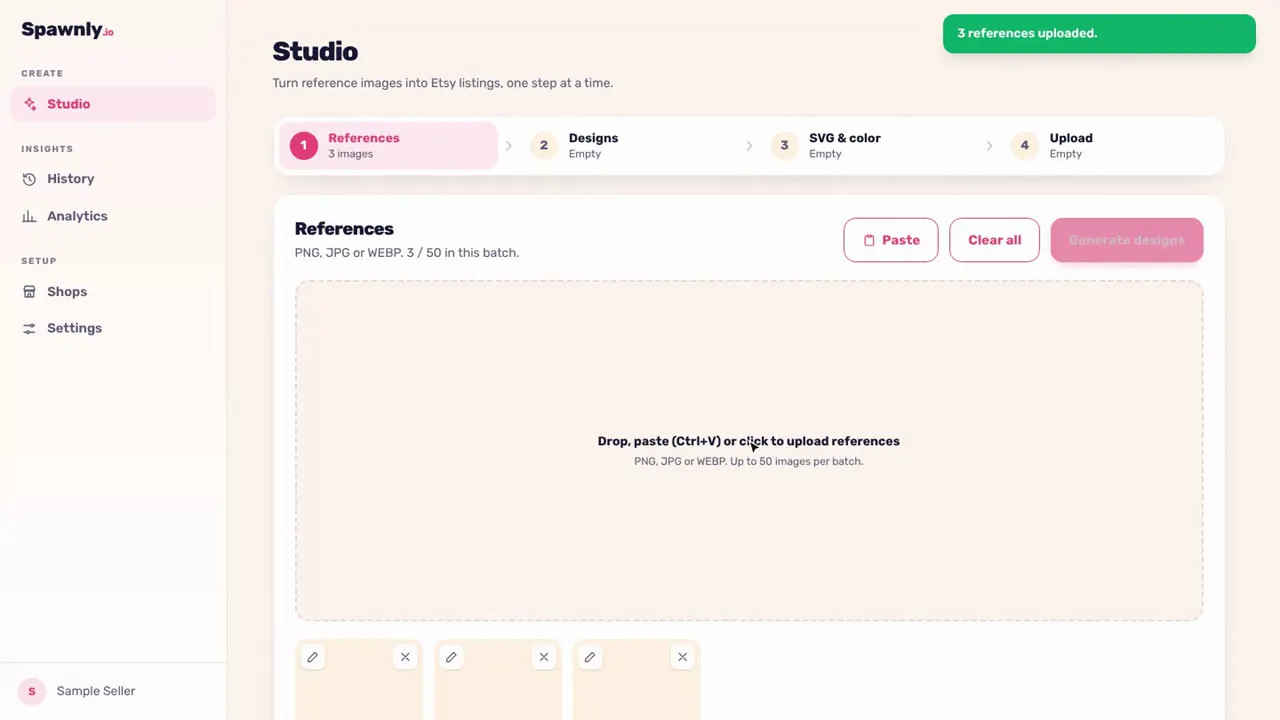
1. Drop your references and generate
Start in the Studio. Drop your reference images, up to fifty at a time, from your computer or your phone, and click Generate designs. Spawnly redraws each one as a clean, sharp design, ready to print or cut.
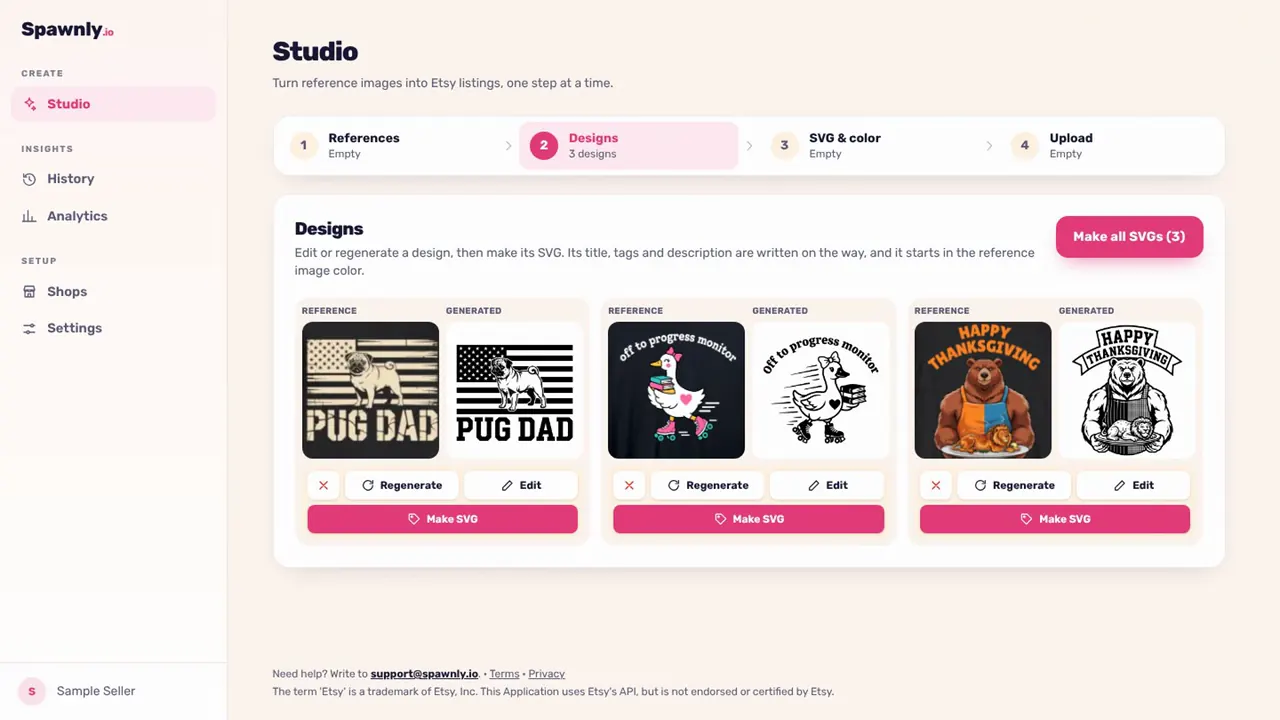
2. Compare, regenerate or edit
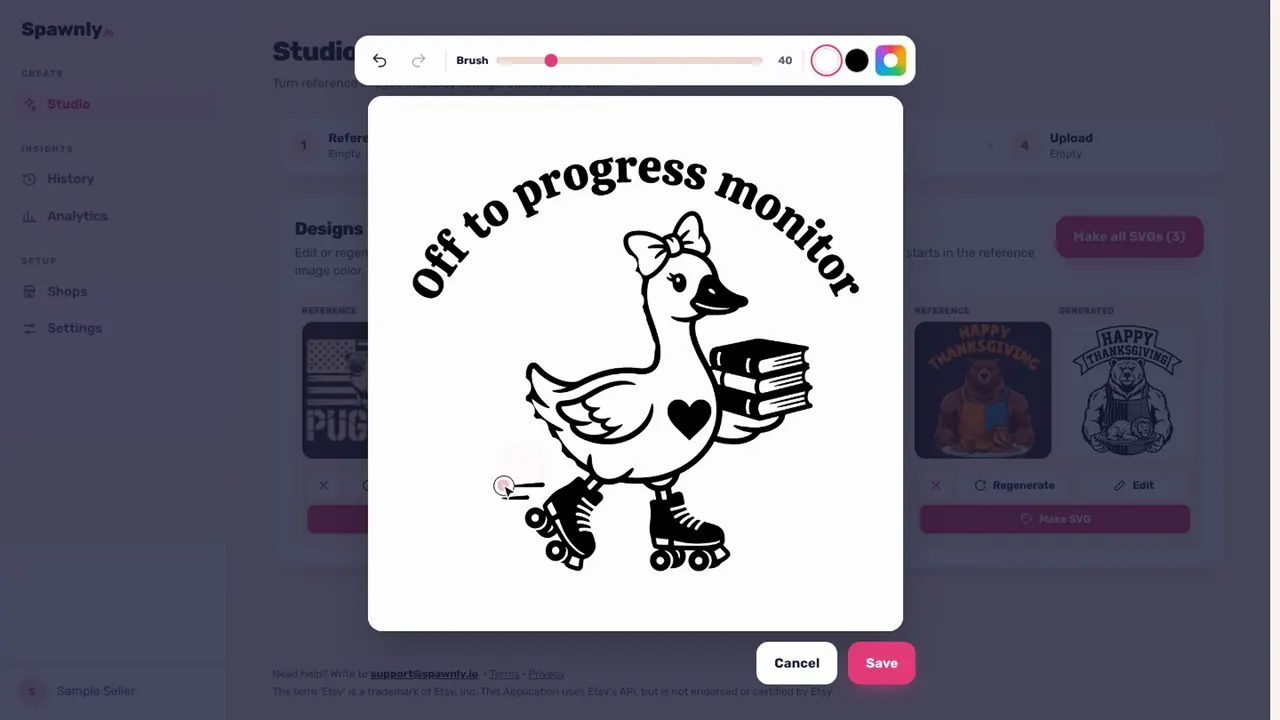
Each design sits next to its reference. If you'd like another version, click Regenerate. To fix a small detail yourself, click Edit, choose a brush size and paint over it: in the video, the motion lines are removed for a cleaner look. Click Save when it looks right.
3. Make the SVGs, with the SEO written for you
When you're happy, click Make all SVGs. On the way, Spawnly writes each title, the tags and the description, made for Etsy search. How those are built: titles and tags for SVG files.
4. Check the mockups and the color
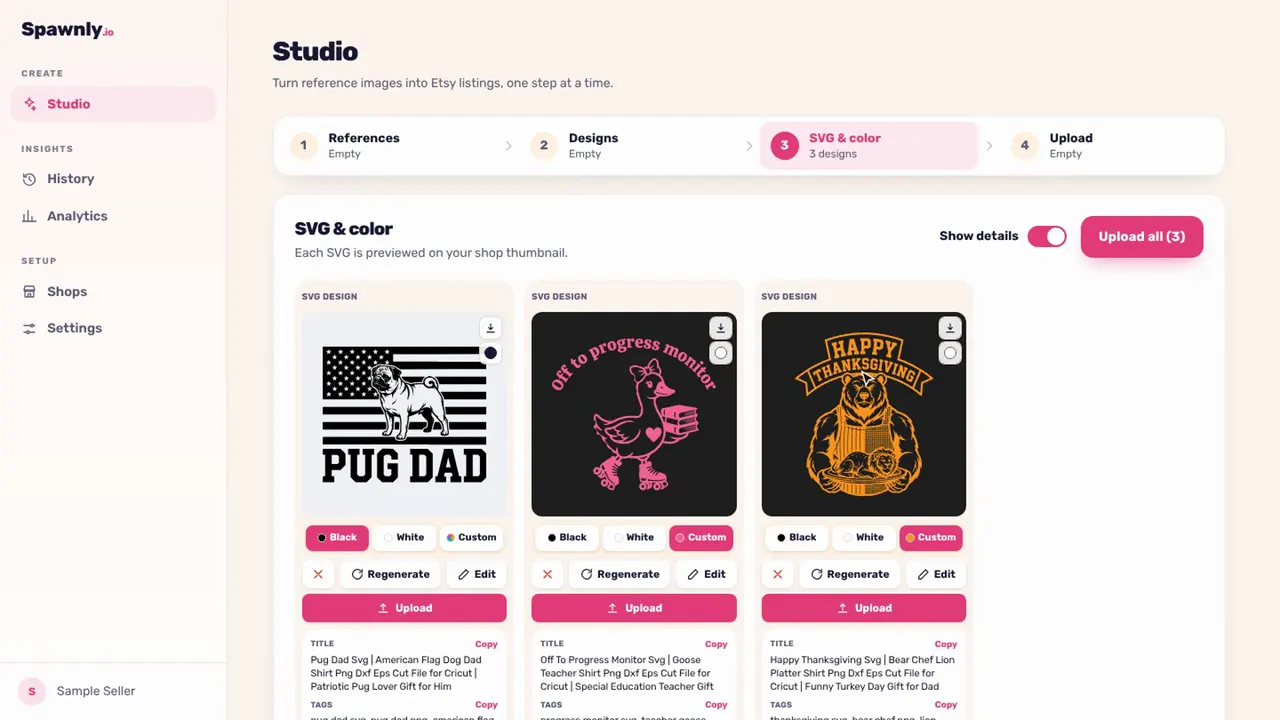
Each SVG is shown on your shop's mockup, in the color of the reference. Switch to the white mockup to check it there too: a cream design is hard to read on white, so pick black instead. You can also pick any custom color.
5. Review and upload
Turn on Show details to check each title, the thirteen tags and the description, and copy them in one click if you need them elsewhere. When everything looks right, click Upload all.
Spawnly builds the listing photos, a video and the zip with every format: SVG, PNG, DXF and EPS. Black and white are always included, plus your own color if you picked one, and your bonus PDF. Then each design goes to your Etsy shop as a draft, and is listed in History. What each format is for: which files to put in an SVG listing.
Listing videos (Pro plan)
On the Pro plan, every listing also gets its own short video, showing your design on different background colors to win buyers over.
Why it matters
In about a minute you get a new design in four formats, with its title, tags, description, photos and video, in your shop. You keep the quality and grow the quantity, so you have more chances to sell.